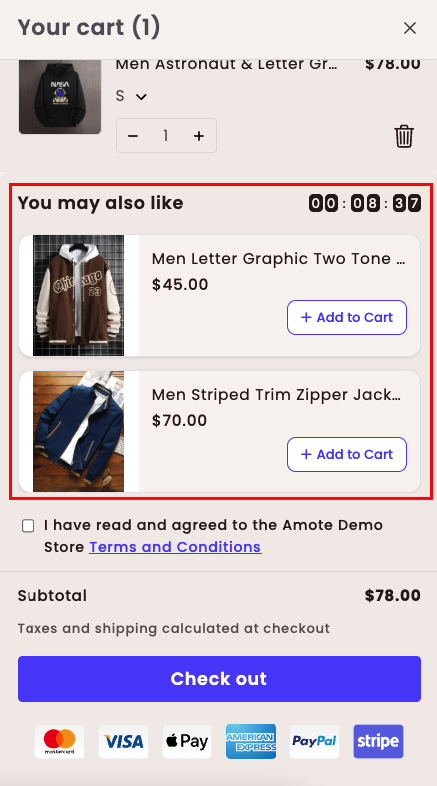
The Frequently Bought feature helps increase Average Order Value (AOV) by recommending relevant products directly inside the cart drawer. By showing items that are commonly purchased together, customers are encouraged to add more products to their cart with minimal effort.
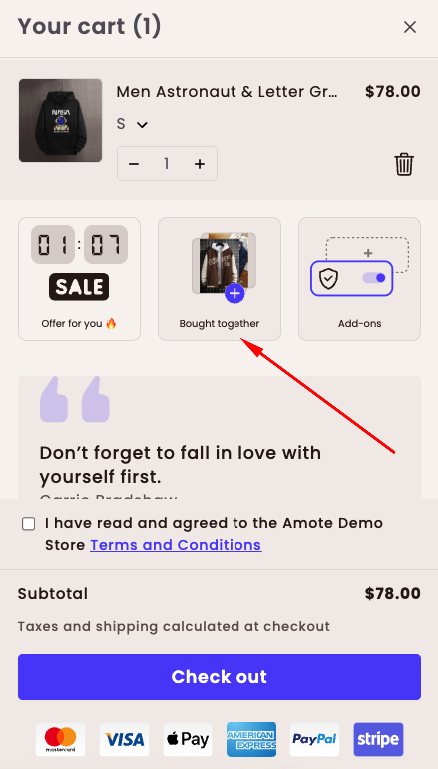
How the Frequently Bought feature looks on the Cart Drawer:
How to Set It Up
Step 1: Enable Amote in Your Theme
Make sure the Amote app embed is enabled in your Theme Editor.
→ Please refer to this article for detailed instructions.
Step 2: Enable Frequently Bought feature
Open Amote in your Shopify Admin.
Go to Upsell & Cross-sell → Frequently Bought
Enable Frequently Bought feature.
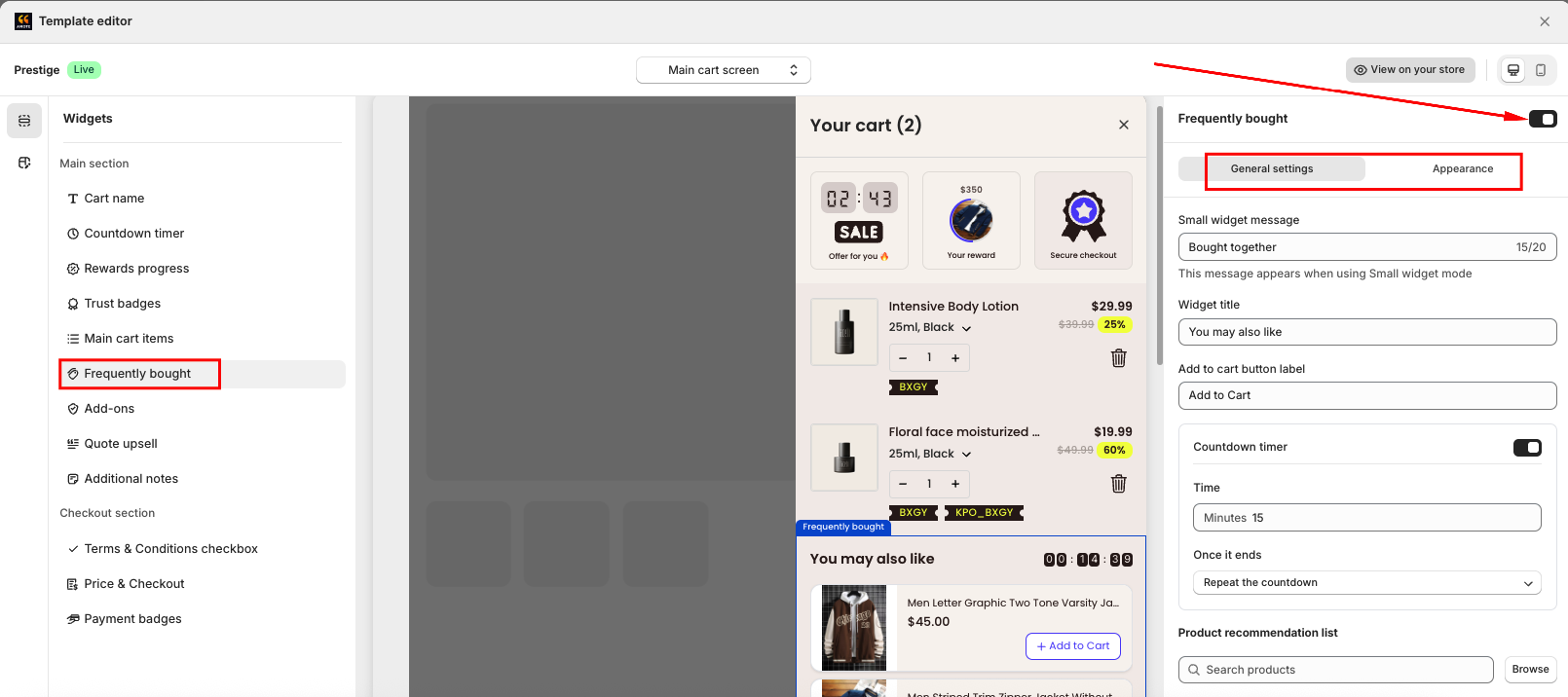
You will see two main sections:
General Settings – Configure content and product recommendations
Appearance – Customize the widget design
Step 3: Configure General Settings
In General Settings, configure the content and behavior of the Frequently Bought section:
Widget message: The message displayed when using the Small Widget layout.
Widget title: The heading displayed above the Frequently Bought products.
Customize the Add to cart button label.
Countdown Timer: Enable or disable the countdown timer to create urgency for deals or flash sales.
When enabled, you can:Set the countdown duration (in minutes)
Choose what happens when the timer ends: Repeat the countdown or Hide the promotion for the current session
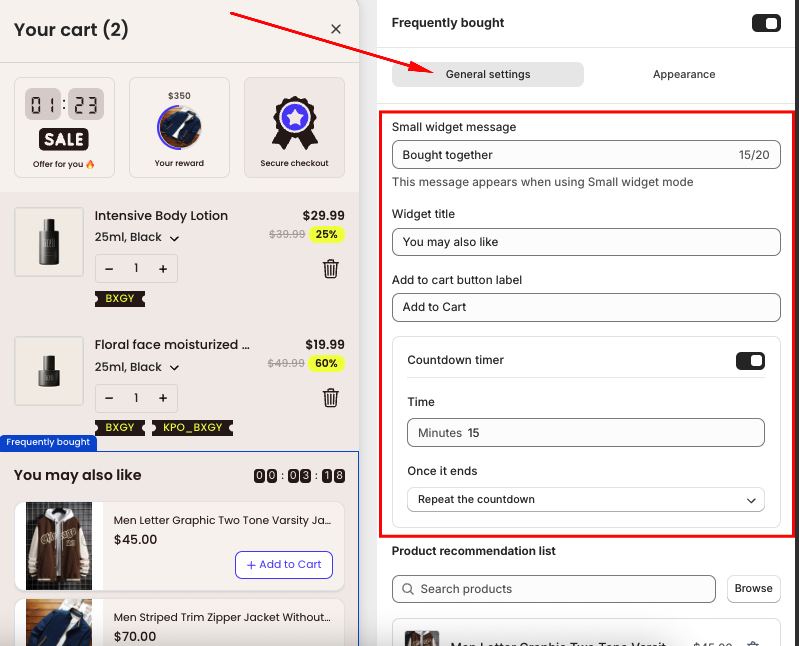
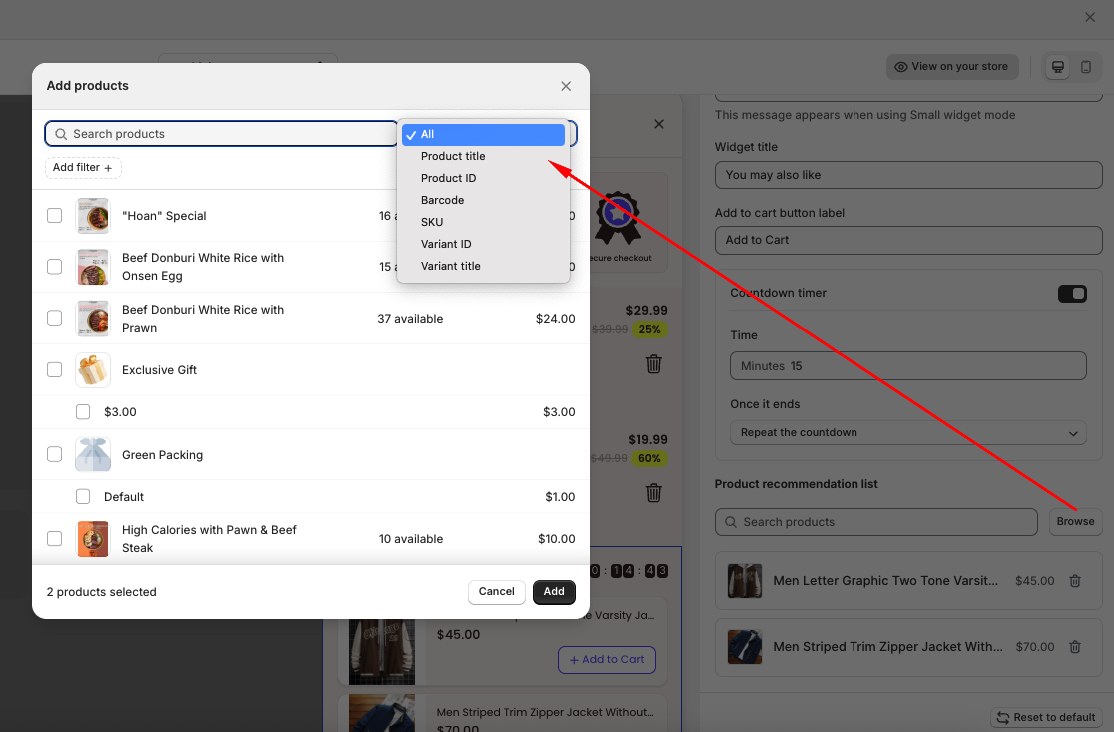
- Product recommendation list: Select which products to display in the Frequently Bought section. You can also filter products by Categories, Collection, Tags, Types or Vendors.
Step 4: Customize Appearance
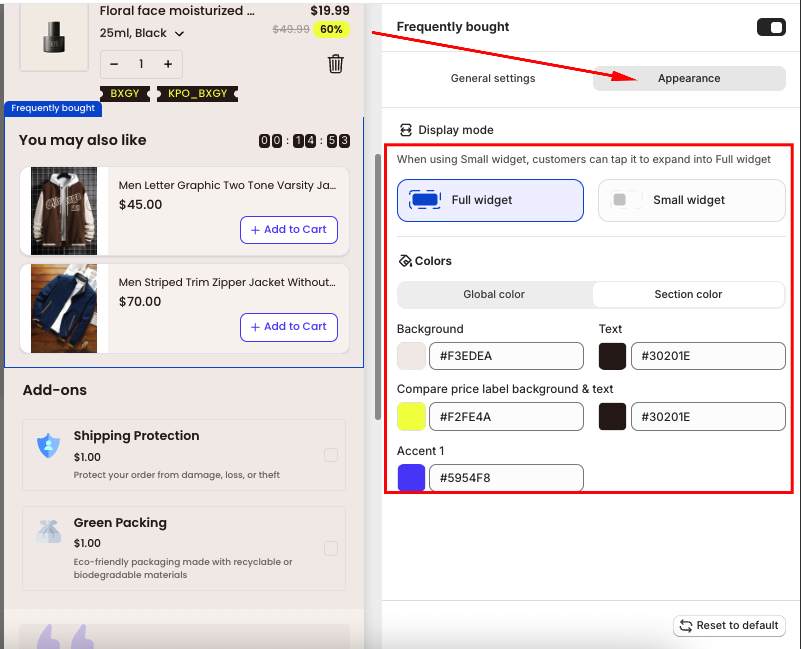
In the Appearance section, you can:
Choose the widget size (Small or Full Widget)
Apply your Global colors or manually customize contents in Sthe ection Color
Step 5: Save and Test
Click Save, then visit your storefront:
Add a product to the cart drawer.
Check that recommended products appear correctly on the cart drawer.
Try adding a recommended item to confirm it works as expected.
If you need further guidance or have any questions, don't hesitate to reach out to our support team via email at support@amote.app or submit a ticket here. We'd be happy to help.
Was this article helpful?
That’s Great!
Thank you for your feedback
Sorry! We couldn't be helpful
Thank you for your feedback
Feedback sent
We appreciate your effort and will try to fix the article