If the Amote Cart drawer doesn’t open when customers add products to the cart – there are a few key things to check. In most cases, the issue is due to configuration settings either in the app or theme.
1. Check if Amote Cart Drawer is Enabled in your theme.
Please follow these steps to ensure the Amote Cart Drawer is enabled in your theme:
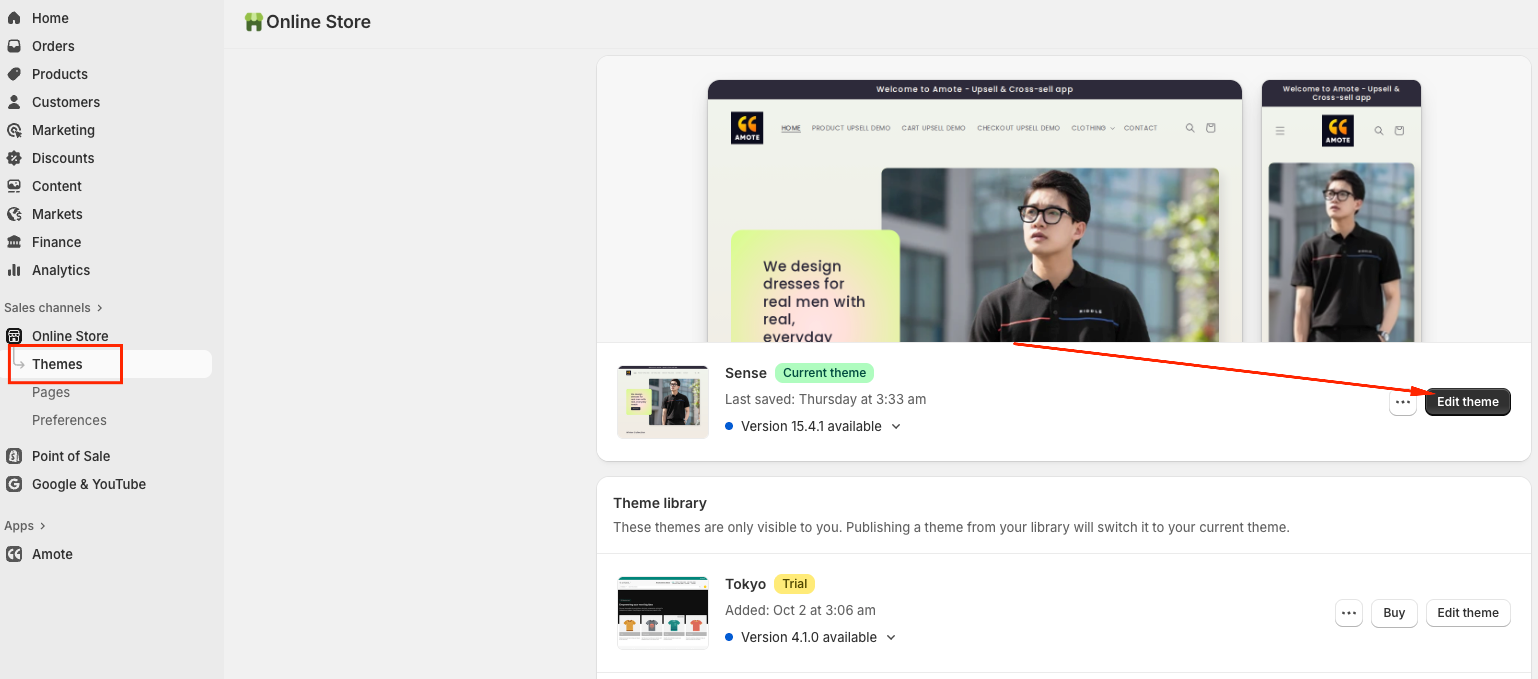
Go to Online Store → Themes -> Edit theme:
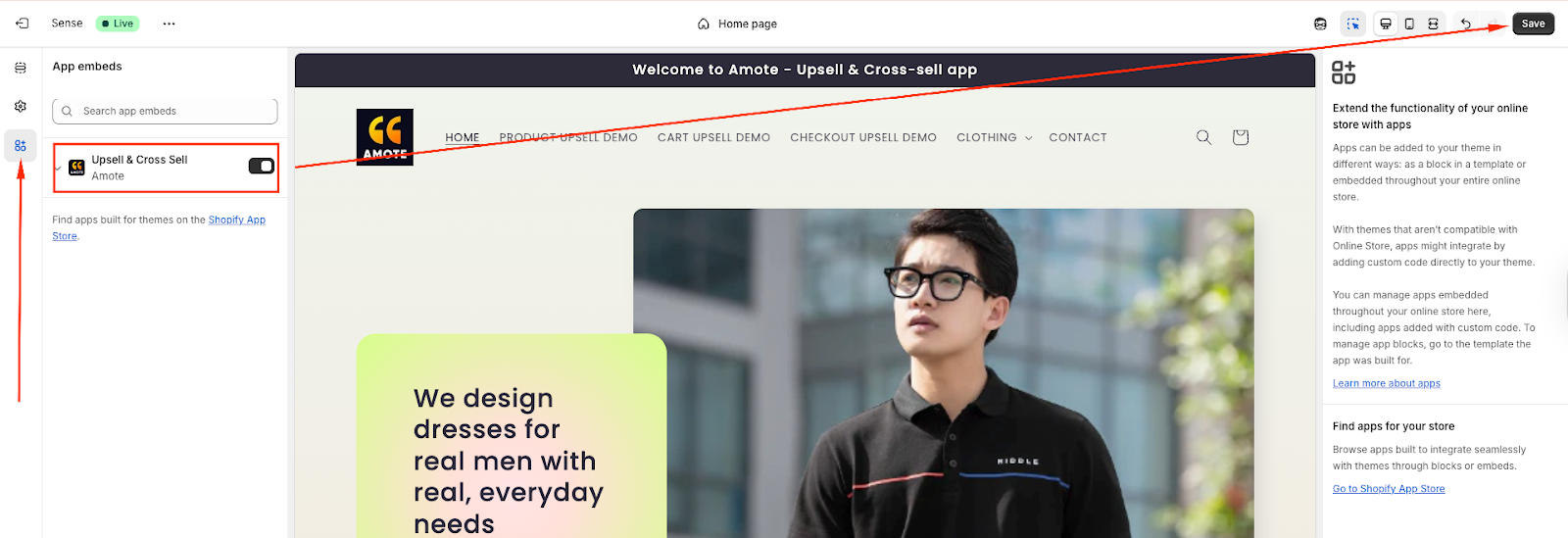
Open App embeds from the left sidebar → Toggle Amote ON → Click Save:
2. Activate the Cart Drawer in Amote
Open the Amote dashboard.
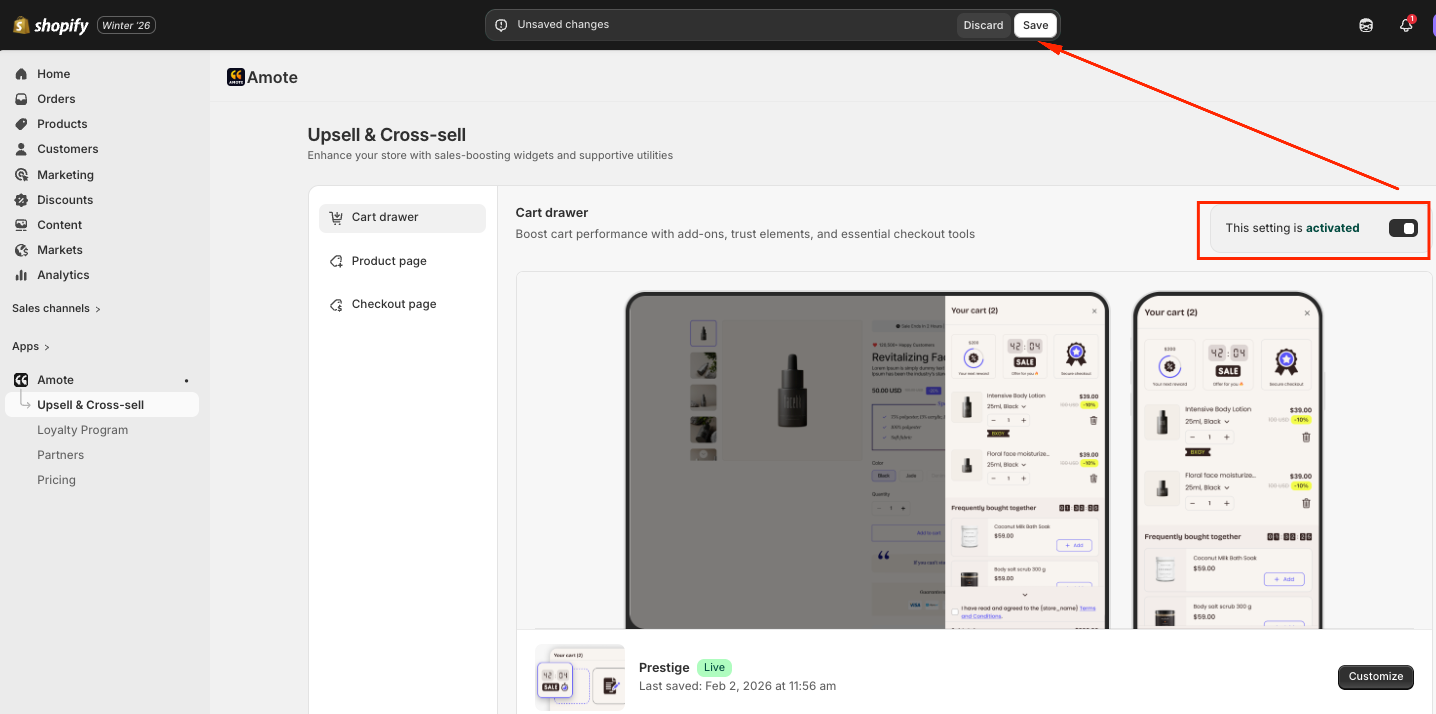
Navigate to Upsell & Cross-sell → Cart Drawer
Click Verify now to update
Activate the Cart Drawer in your store and Save:
3. Check Theme Settings
Most of official Shopify themes have a few key settings that affect how the cart works. Please be advised that the Cart Type Should Be Set to Drawer.
Go to Theme Editor → Settings → Look for Cart section → Make sure Cart type is set to Drawer:

4. If You’re Using Page Builders
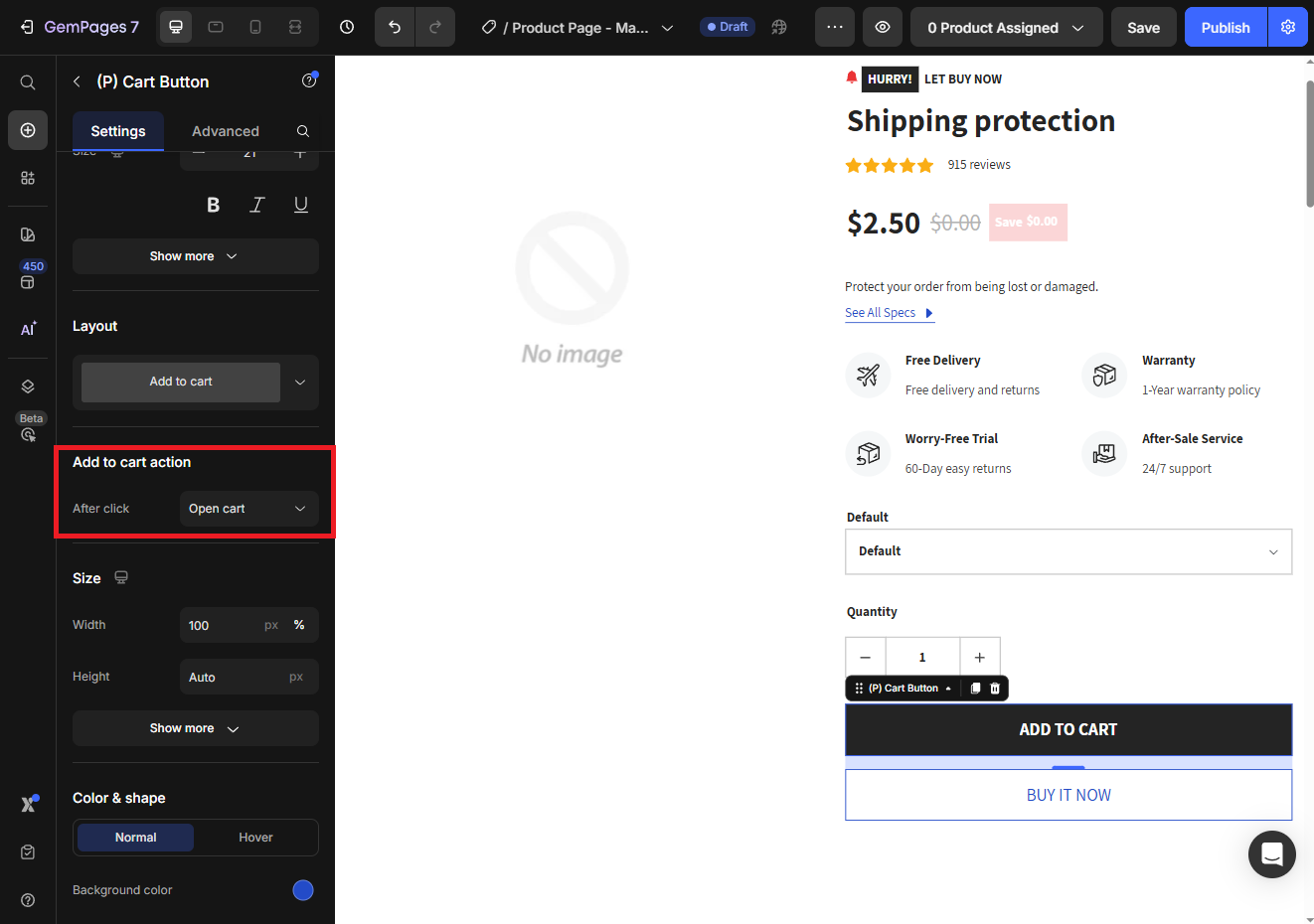
If you use any of Shopify page builder apps like GemPages or PageFly, make sure that the Add to Cart action is set to Open cart in their template editor:
If you need further guidance or have any questions, don't hesitate to reach out to our support team via email at support@amote.app or submit a ticket here. We'd be happy to help!
Was this article helpful?
That’s Great!
Thank you for your feedback
Sorry! We couldn't be helpful
Thank you for your feedback
Feedback sent
We appreciate your effort and will try to fix the article