On the Cart page, you are allowed to show only 1 Amote widget.
Please follow the steps below to show the Amote widget.
Step 1: Go to Amote → Cart drawer/page → Quote
Step 2: By default, you can choose to show the Amote widget above or below the Checkout button on the Cart page. We do recommend putting the widget above the Checkout button.
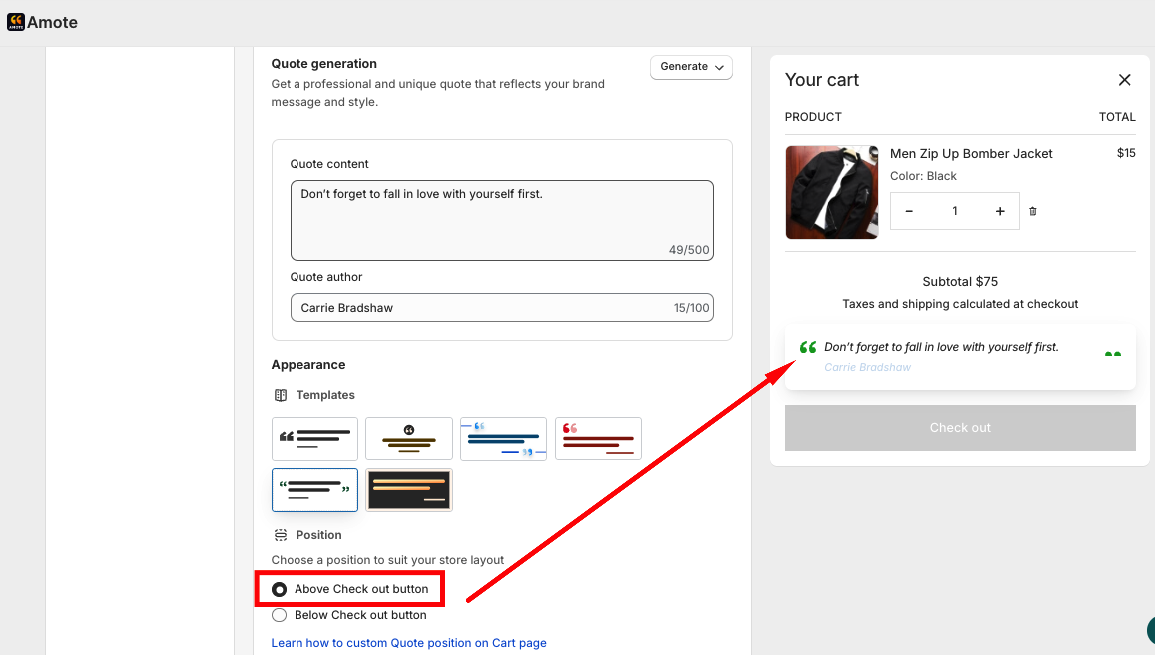
Step 3: Then go to Shopify's Themes Editor → Choose the Cart page
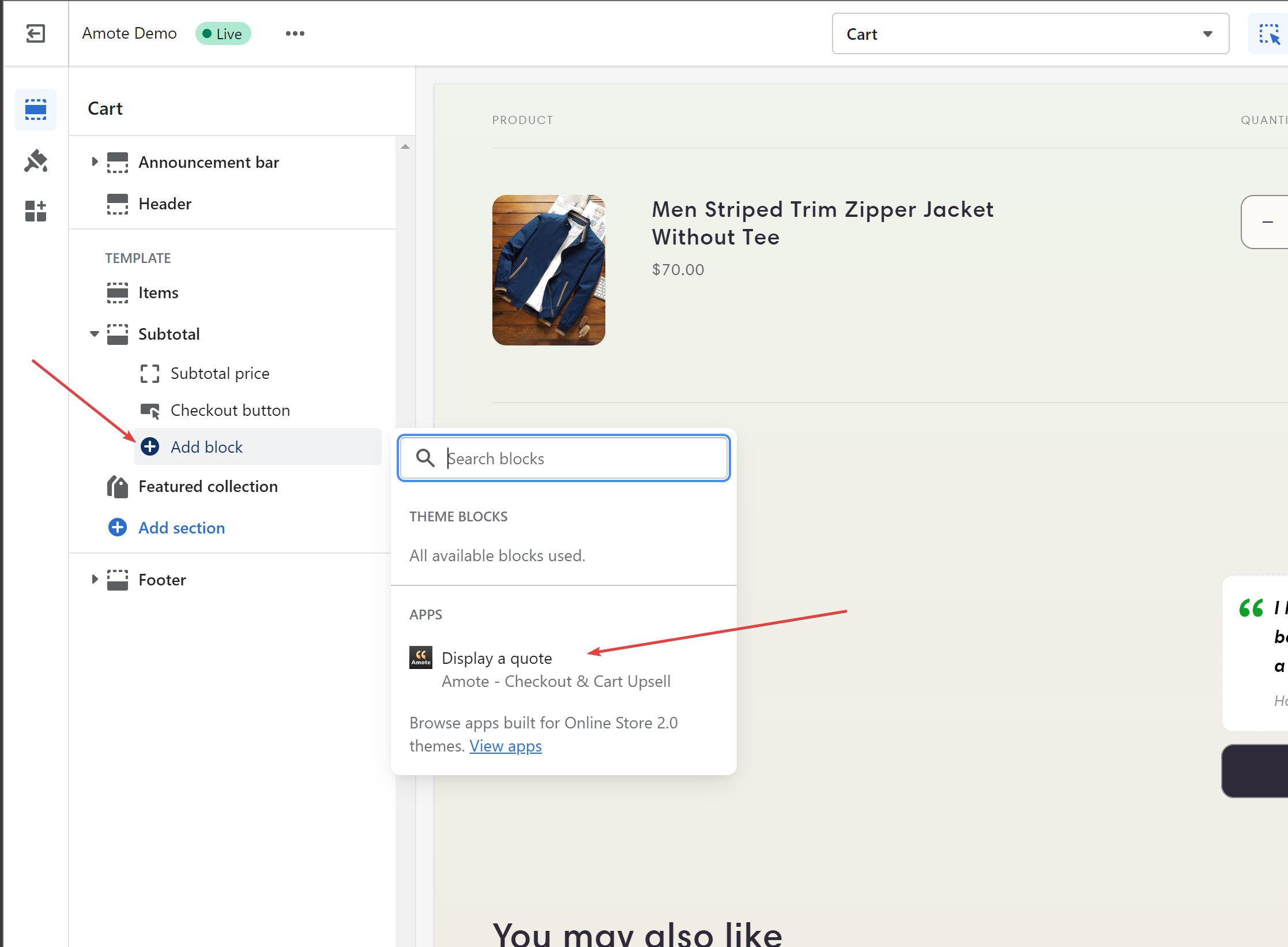
Step 4: Click on Add block, then find and choose Amote from the list of apps as the below picture
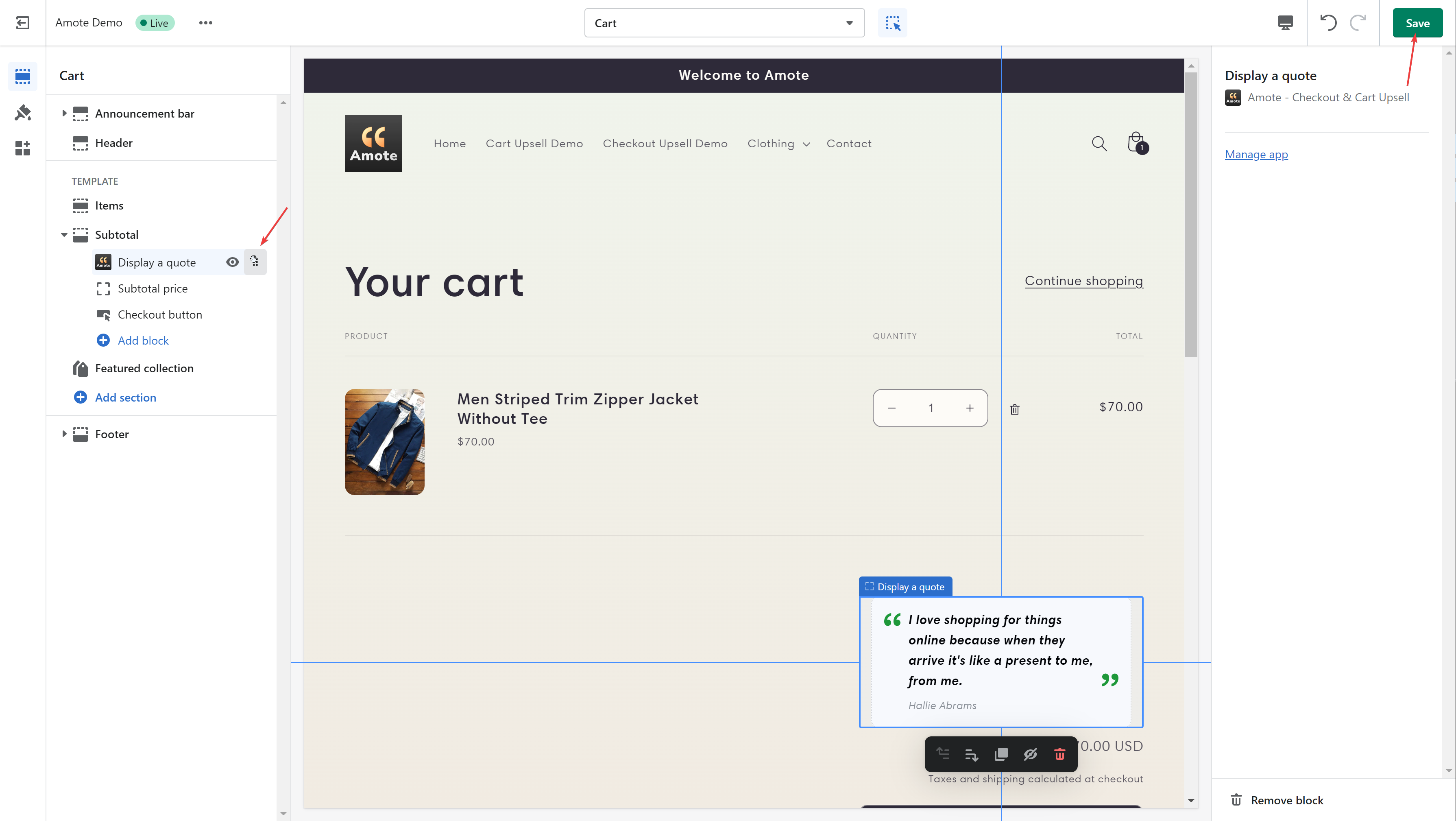
Step 5: Drag and drop the Amote block on your desired position, check in Preview screen, and remember to click Save on the top right screen to apply your change
That's all.
Should you need further support, please feel free to contact us via email at support@amote.app.
Was this article helpful?
That’s Great!
Thank you for your feedback
Sorry! We couldn't be helpful
Thank you for your feedback
Feedback sent
We appreciate your effort and will try to fix the article